| Support Category: ILT | Inquiry, ILT | Registration (select applicable) |
| Specialist Notes: |
WHAT SHOULD YOU KNOW?
|
This learning experience has strict eligibility requirements and is exclusively available to Officials in the Southern California and Intermountain Sections (Colorado, Montana, Nevada, Southern Idaho, Utah, and Wyoming). Officials may register for only one learning track and will only see the track(s) for which they meet the required certification requirements.
IMPORTANT! |
We may assist Officials with these requests/inquiries:
- Accessing the Learning Opportunity (LO).
- Navigating to the Learning Search page.
- Completing the registration/request process.
Refer the following inquiries to the USTA Officiating Team at: Officiating@usta.com
- Eligibility
- Certification status
- Event details
- Track selection
If the Learning Opportunity cannot be found, ensure the Official belongs to the Southern California or Intermountain Section and has searched for ‘Regional Training Center – Pilot’ in Learning Search. If it is still unavailable, refer the Official to the USTA Officiating Team at Officiating@usta.com
Please utilize this PDF to assist the users.
Please Note: If a user reports that they are not receiving the application email, kindly check their transcript and ensure that they are indeed registered for the track.
Verify that they are checking the correct email address mailbox and ask them to check their Promotions and/or Spam/Junk folders.
If these steps do not resolve the issue, please Escalate the ticket to the Admins so they can investigate further. Be sure to clearly document and clarify all troubleshooting steps that have already been taken.
| Standard Response: |
To submit your application for the Regional Training Center – Pilot, please follow the steps below:
1. Log in to the USTA Officiating Development Hub.
2. Open the hamburger menu and select Learning Search.
3. Type ‘Regional Training Center – Pilot’ into the search bar.
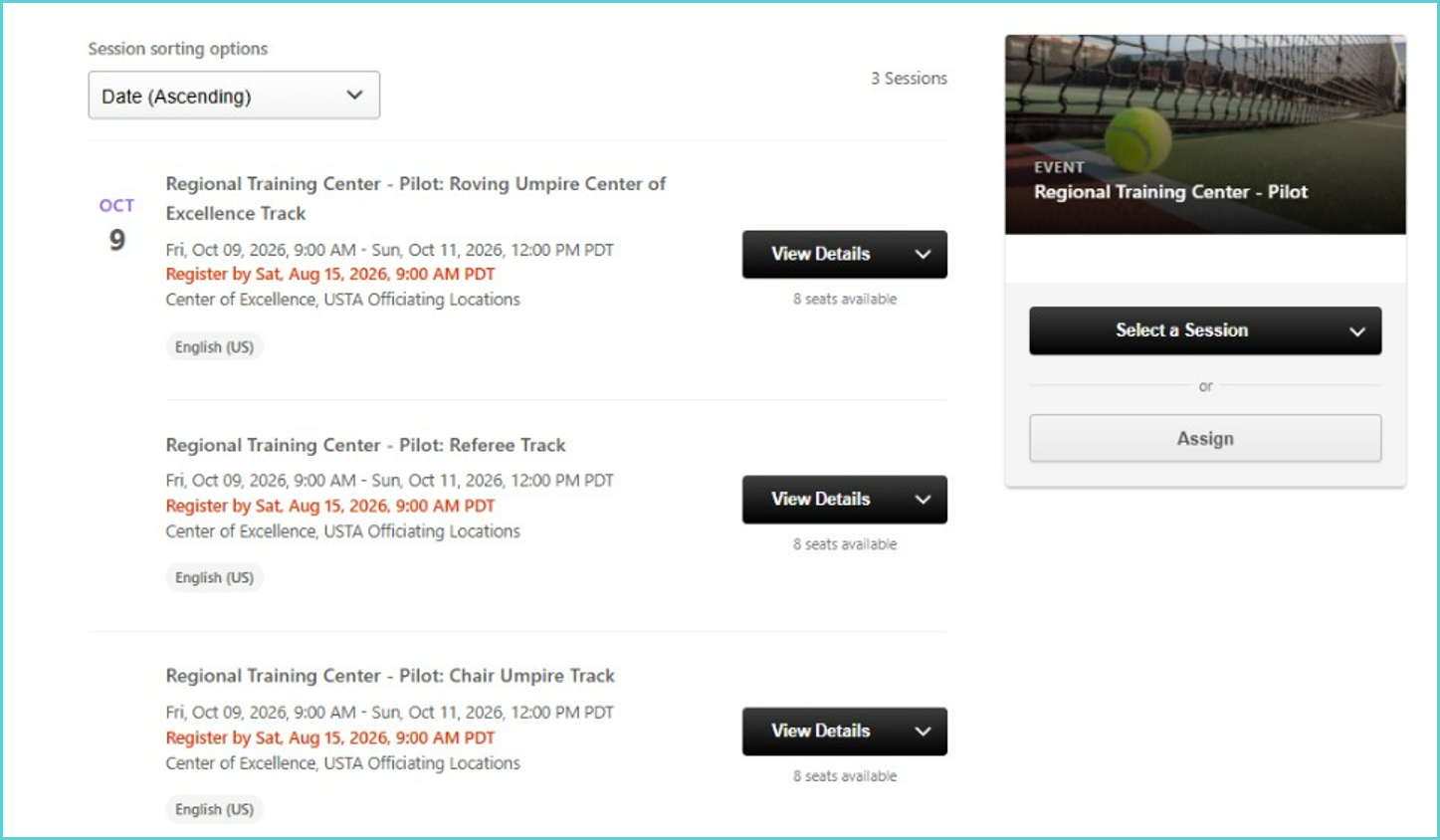
4. Select ‘Regional Training Center – Pilot’.
5. Click the learning track you would like to join.
- You will only see the learning tracks for which you meet the certification requirements.
- You may only register for one learning track.
6. Select Request.
After selecting Request:
1. You will receive an email from officiatingdevelopment@hub.usta.com.
2. Open the email and click the Regional Training Center - Pilot application link.
3. Complete and submit the application before the deadline.
- Incomplete applications will not be considered.
On the Attendee Details page, you must select the same learning track as what you chose in the USTA Development Hub. Applications that do match the Hub selections will not be considered.
