| Support Category: External Training |
| Specialist Notes: |
Users can edit any of the fields that they fill out in the External Training submission form. However, they can only do this before the request has been approved.
IMPORTANT!
|
| Standard Response: |
To edit your External Training request, kindly follow the instructions below:
1. Log in to the USTA Officiating Development Hub.
2. Click "My Transcript".
3. Locate the External Training request you need to edit, and click on the title.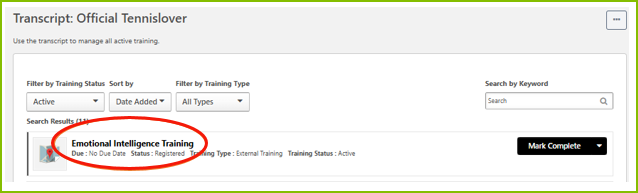
4. On the Training Details page, click "Edit External Training" underneath the title of your request.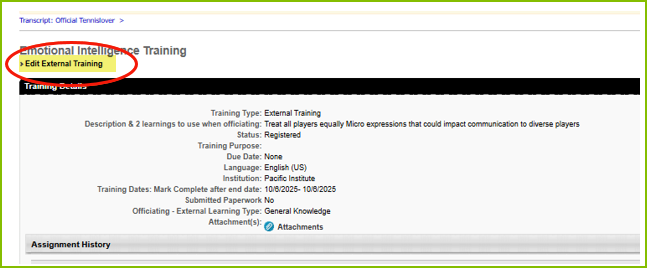
5. Once you have completed your edits, scroll down and click the "Submit" button to save your changes.
