| Support Category: Course Launch | Relaunch Completed Course |
| Specialist Notes: |
Please provide the SR below to users who may need assistance with launching a course they have already completed.
| Standard Response: |
Kindly note that Continual Learning Credits are not granted for retaking courses you have already completed. However, if you would like to relaunch a course for review purposes, you may do so by following the steps below:
1. Click the 'My Transcript' link under the Clipboard icon on the homepage.
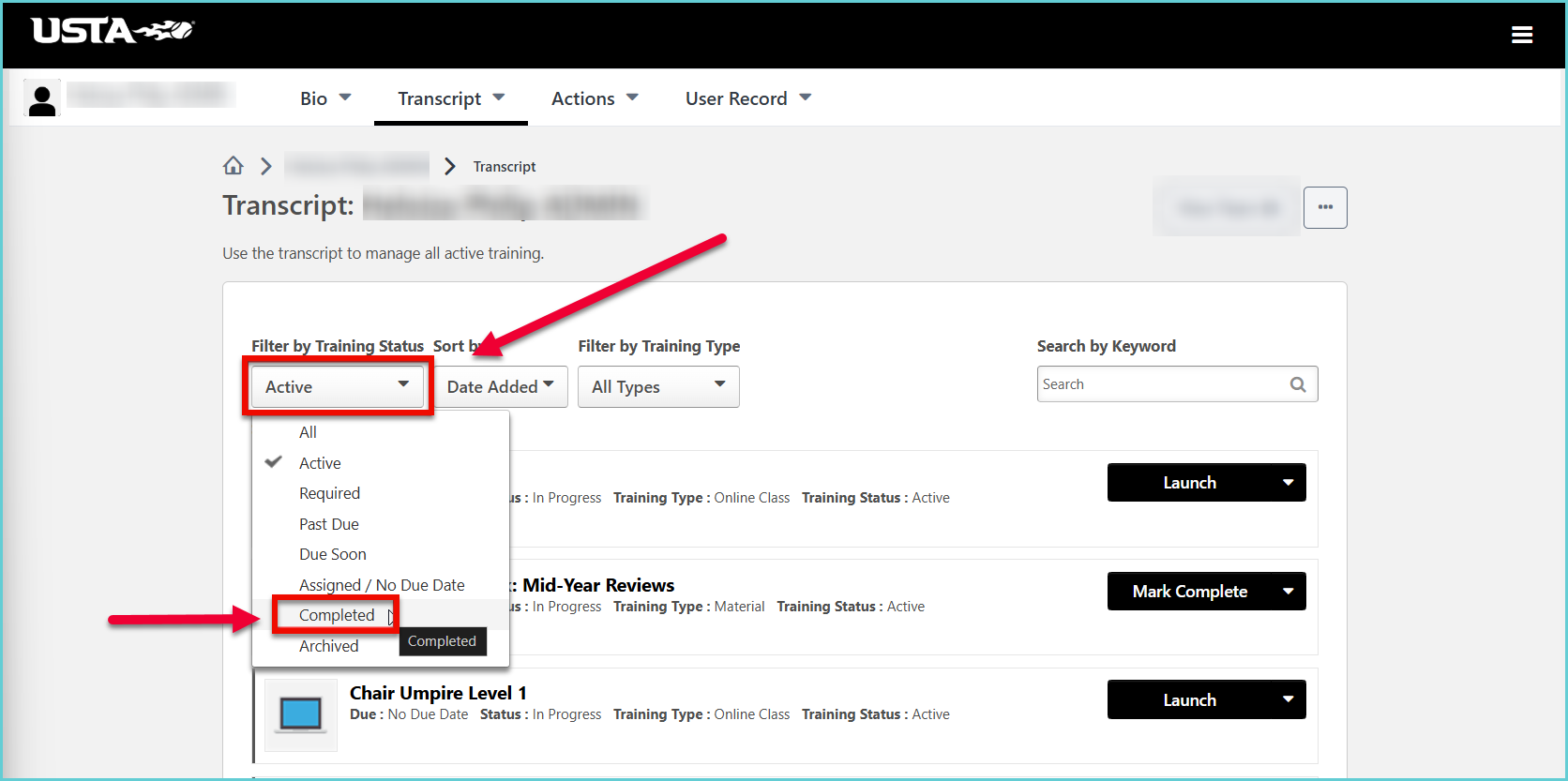
2. On your transcript page, click the 'Active' filter button, then select 'Completed'. A list of your completed courses will appear.
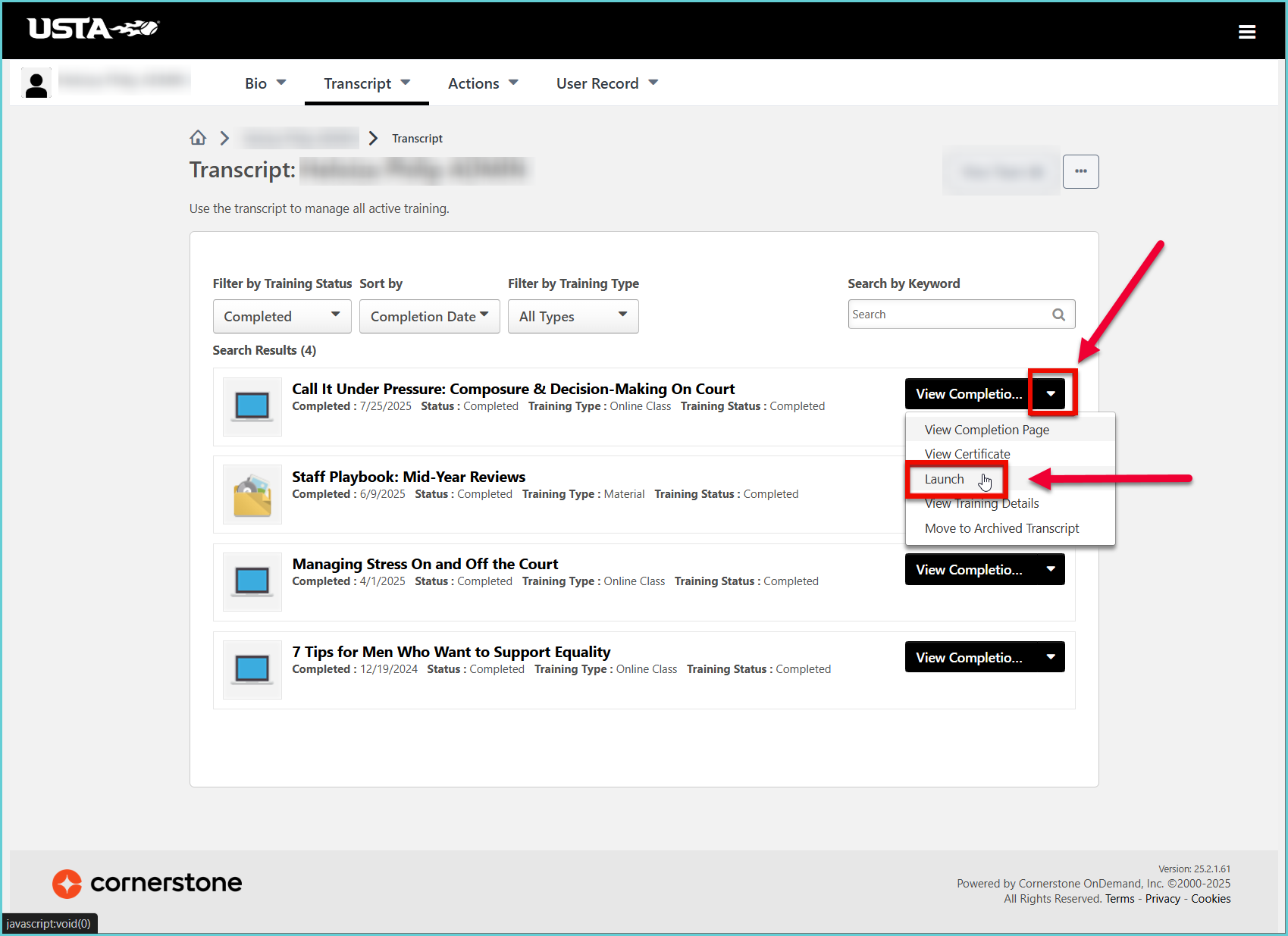
3. Locate the course you would like to launch, then click the down-facing arrow next to the 'View Completion' button. From the drop-down options, select 'Launch'.
Note: If the course is part of a curriculum, you will need to click the 'Open Curriculum' button first, then follow step 3.
