| Support Category: Certification Dashboard |
| Specialist Notes: |
Provide the SR below to assist users on how they can obtain Continual Learning Credits (CLC).
IMPORTANT! If the user expresses that they would like to know more about the CLC Requirements, please refer to the CLC Requirements SR. If the user states they have a missing CLC in their Dashboard, please refer to the CLCs Not Reflected in Dashboard SR. |
HOW SHOULD WE ASSIST? If a user seems to be having difficulties locating the courses or webinar recordings after you provide the SR, please capture and provide screenshots to best assist them with navigation. |
| Canned Response Code: /USTADev03 |
| Standard Response: |
Here is how you can find online training and webinar recordings to obtain CLCs:
1. From the homepage, click the hamburger menu icon (≡) at the top right corner.
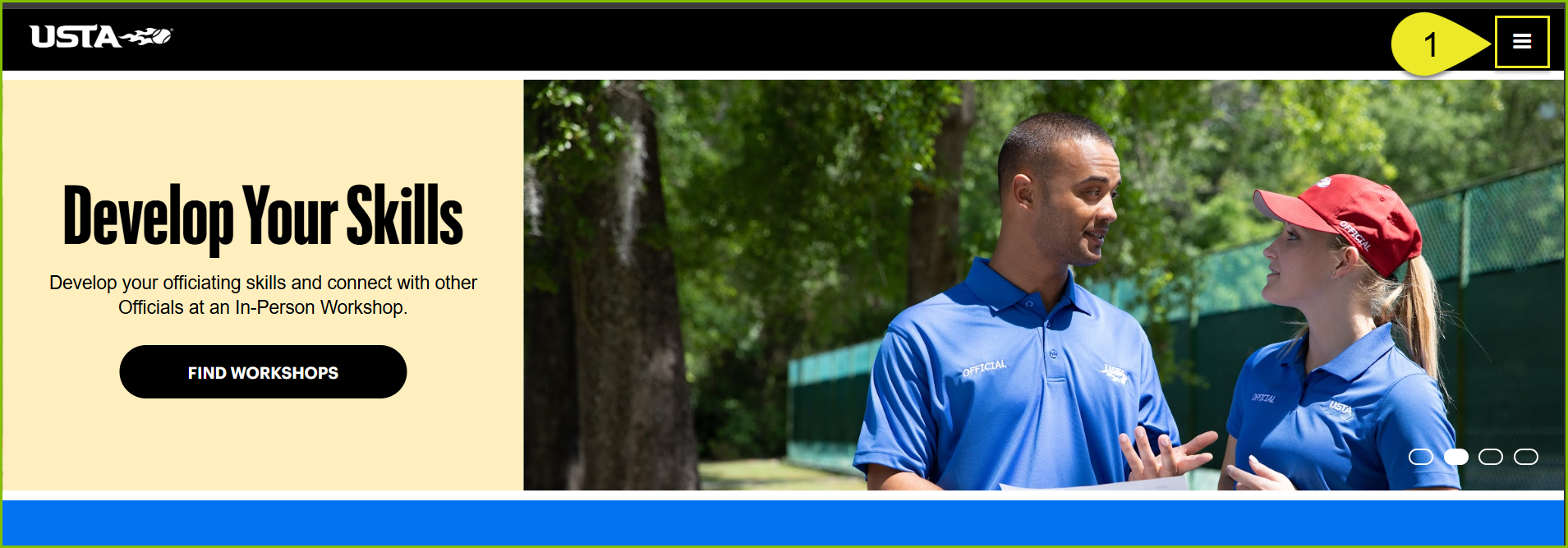
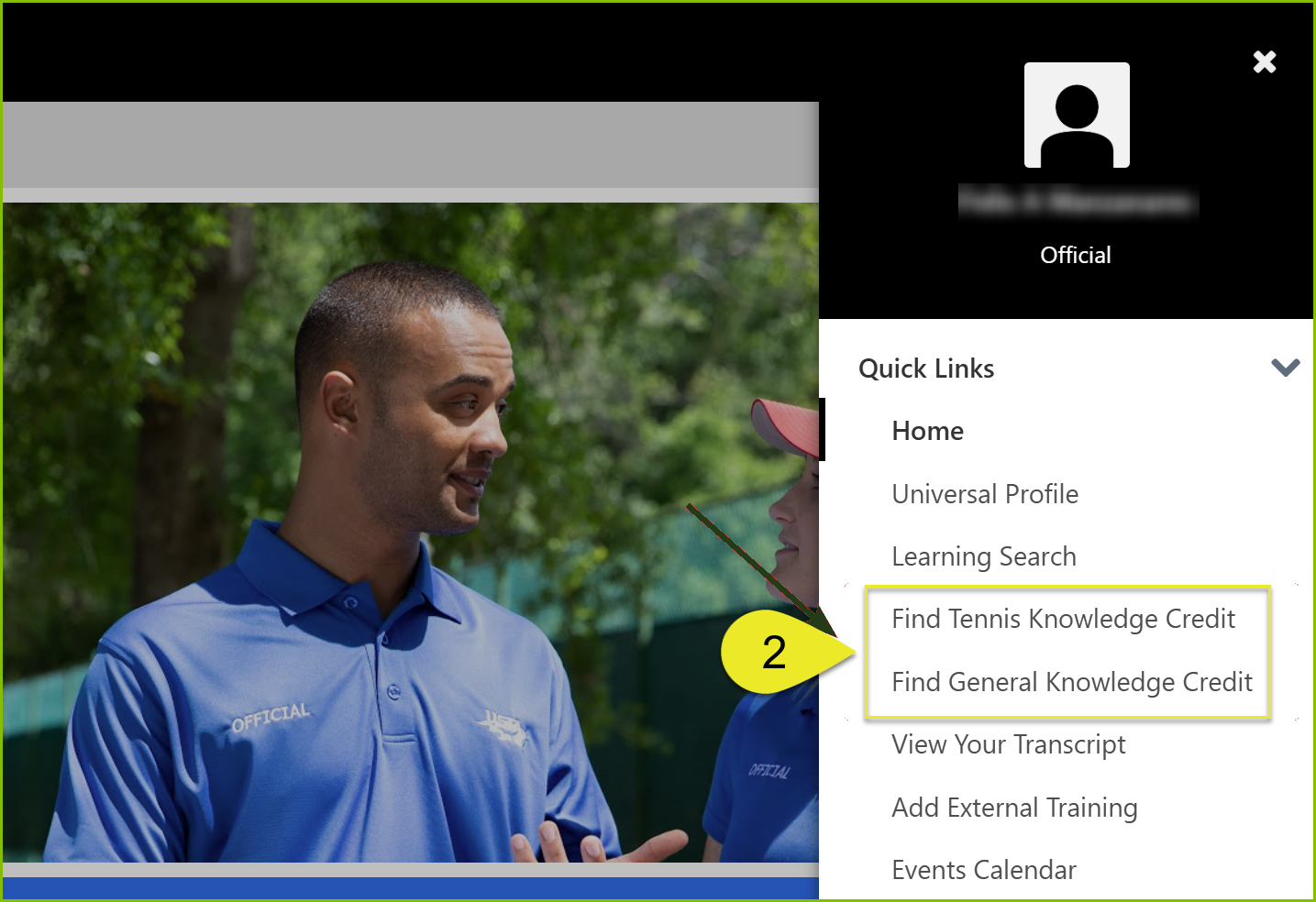
2. Click either of the following options depending on what you’re looking for:
- Find Tennis Knowledge Credit
- Find General Knowledge Credit
Note: Credits are not provided for retaking courses, webinars, or workshops you have already completed. To see all of your completions, click the ‘My Transcript’ button on the homepage. Then, select the ‘Completed’ filter to view all completed items along with their completion dates.
You can also earn CLCs by completing In-person workshops, Live webinars, and External training.
