| Support Category: SSO |
| Specialist Notes: |
Users will access the USTA Officiating Development Hub via SSO with their USTA.com account.
Please provide the SR below to assist a user with login.
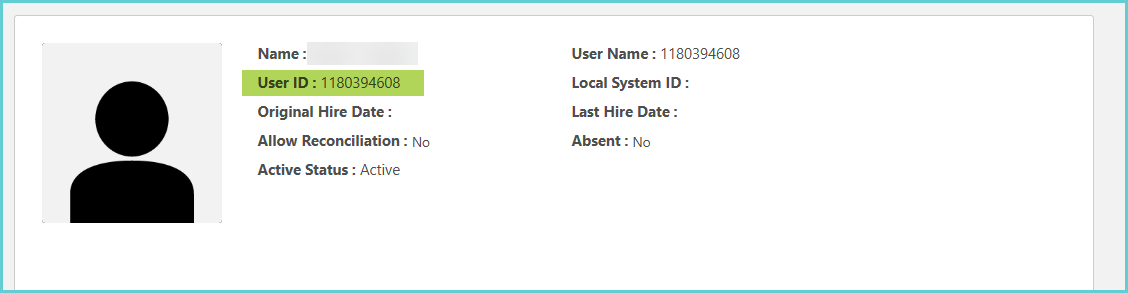
What to Do Next? 1. Check if they have an account in the portal that matches the email address provided by the user. 2. Check if their USTA number is listed on the custom field, which will be listed at the bottom of their profile, and it should match their user ID. If the USTA ID number is not there or does not match, please escalate.
3. If the USTA number matches, please ask the user if they have used any other email address that may have been used, to check if they perhaps have any other accounts. If they do have another account, please escalate the multiple active accounts issue. 4. If there isn’t any other account, please escalate the SSO issue. |

| Canned Response Code: /USTADev01 |
| Standard Response: |
In order to successfully log in, please follow the steps below:
1. Navigate to the login page via: https://www.usta.com/myofficiatingdevelopment
2. Click the "OFFICIALS & TDs - Click Here" blue button.
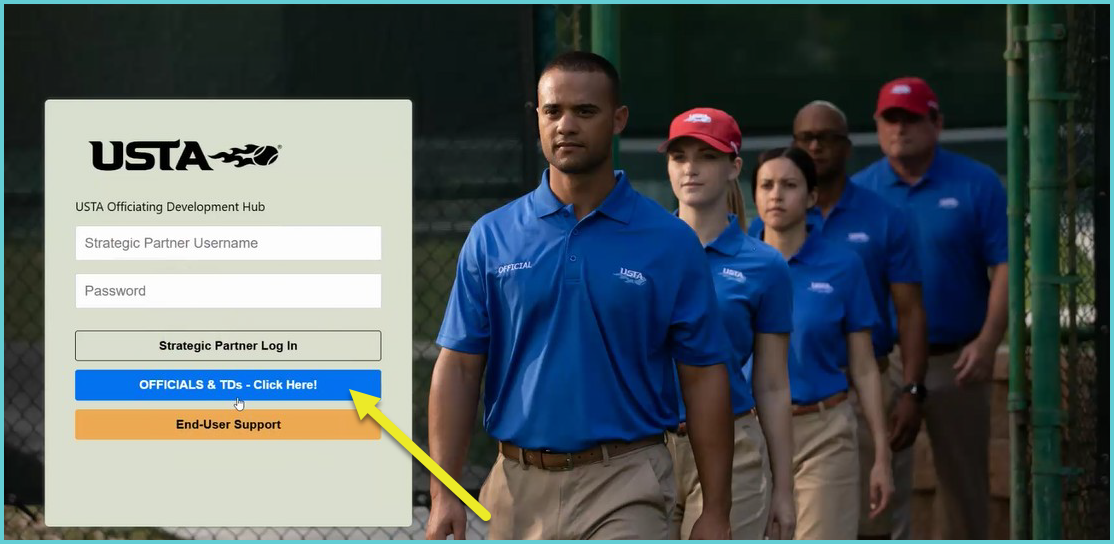
3. On the next page, enter your USTA.com account credentials and click 'Sign In' [see screenshot below]. You should be automatically logged into the USTA Officiating Development Hub.
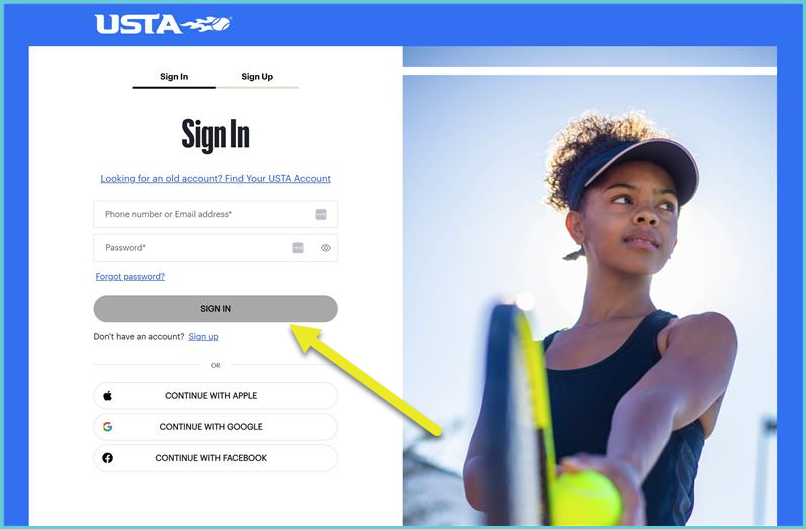
Should you need to recover your password, kindly click the 'Forgot your password?' hyperlink on the login page. Once you enter the email address for your USTA.com account, you should receive an email with instructions.
Please let me know if you're able to access your account. I'm standing by.
